
Buraq guide
How to book a ride, step by step.
Everything in the booking app, from where to tap first to the moment your driver arrives.
-
 01
01Open the booking app.
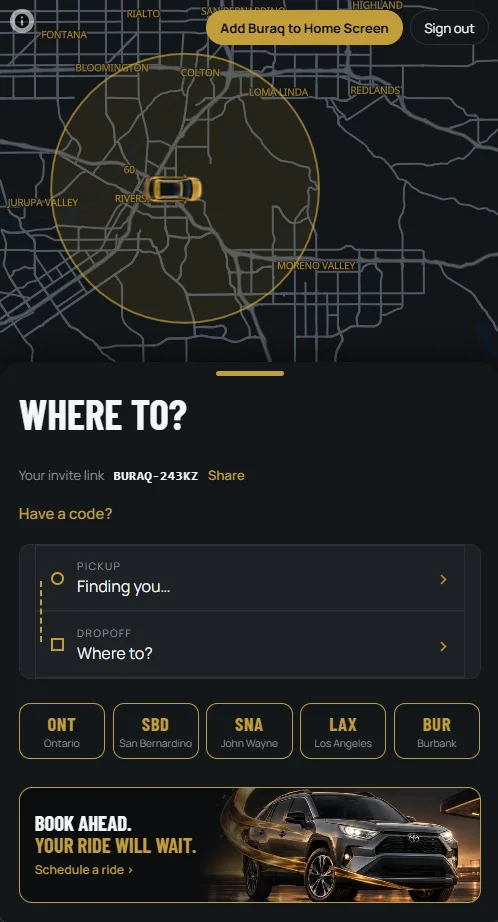
Go to buraqride.com and tap Book a ride. Sign in with your email; we send a six-digit code, no password. The gold circle on the map is where we pick up.
Flying out? Tap an airport under “Where to?” to skip typing.
-
 02
02Set your pickup and drop-off.
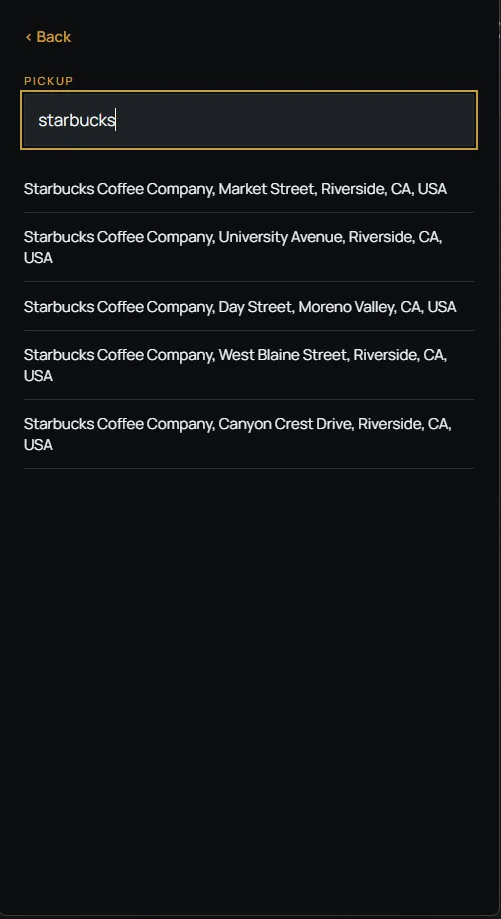
Type an address or a place name, like a café or a hotel, and pick it from the list. Pickup has to be inside the circle; drop-off can be anywhere.
For an airport, you choose your airline next, and we drop you at that terminal.
-
 03
03Choose now or later.
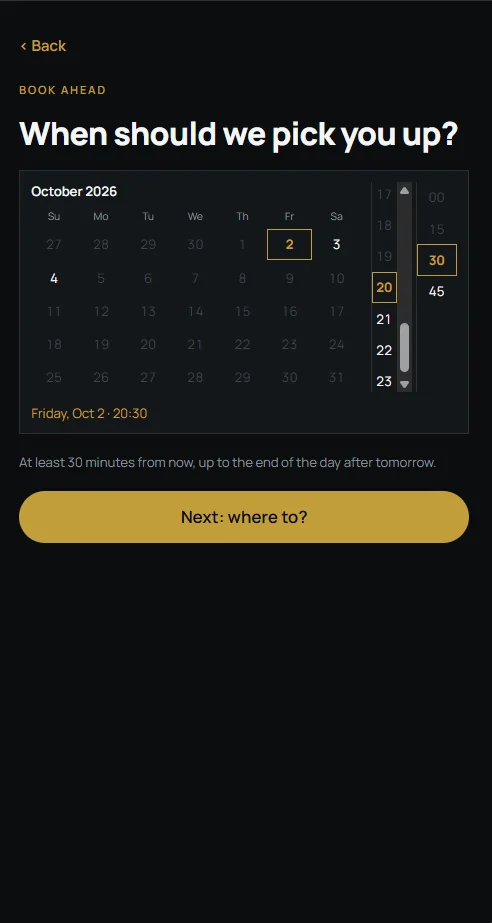
Tap Now for a ride today, or Later to book ahead. Later shows the days and times you can pick, from 30 minutes from now to the end of the day after tomorrow.
-
 04
04See the price, then book.
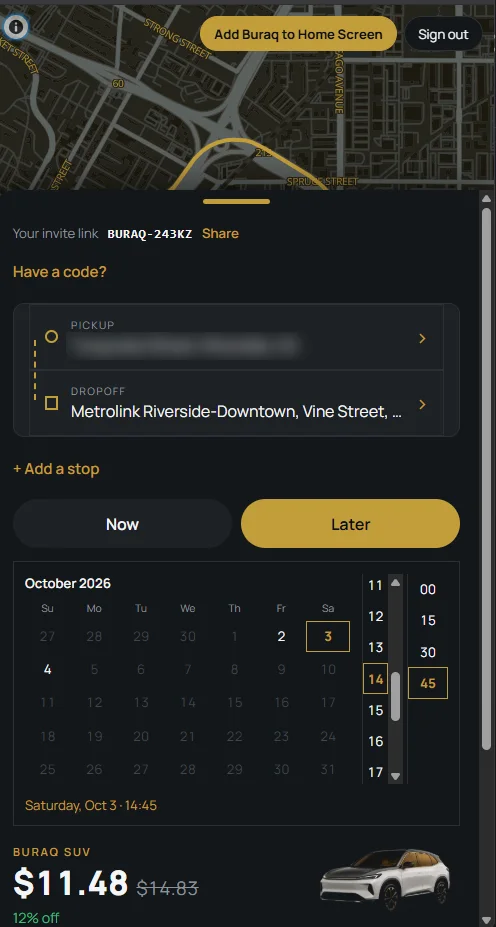
The price shows before you book, and it is the most you pay. If the trip runs shorter, it goes down. When a discount applies, you see the old price crossed out and how much you save.
-
 05
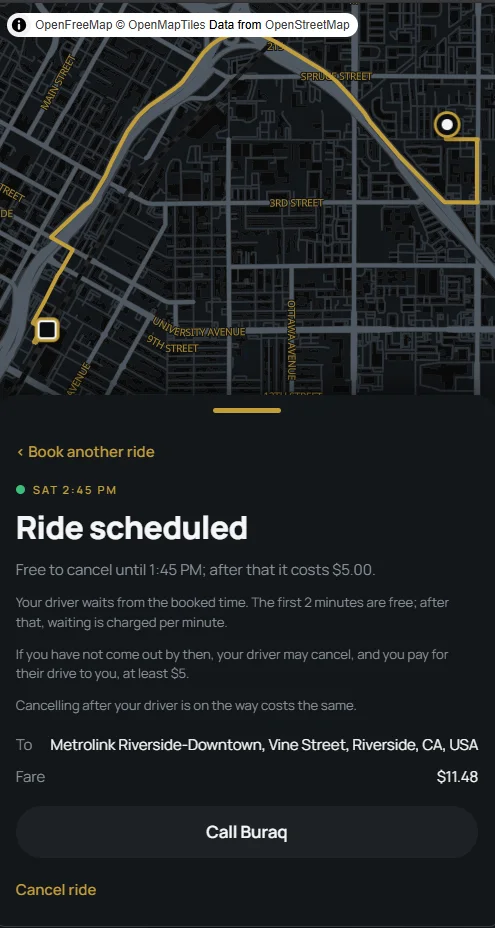
05Your ride is booked.
The screen tells you until when you can cancel for free, and how waiting works: your driver waits from the booked time, and the first two minutes are free.
Cancel or call us from this screen. Your booking also appears here when you come back.
-
 06
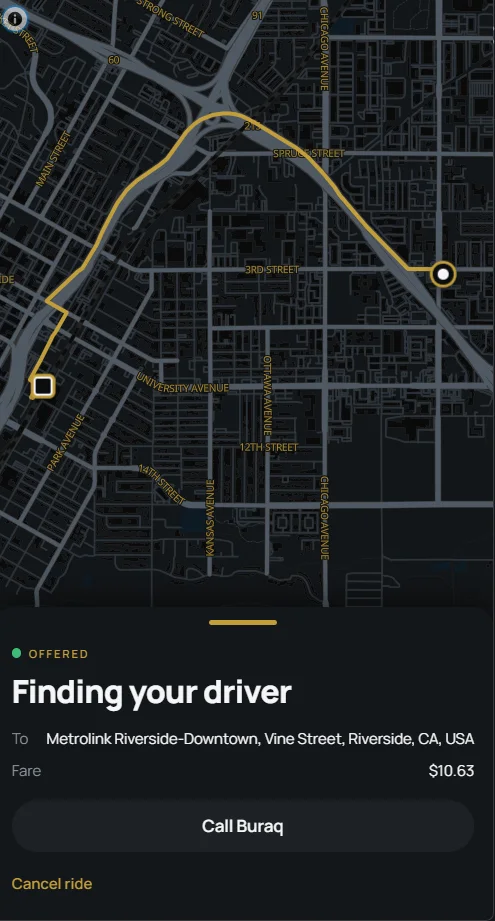
06We find your driver.
For a ride now, this screen shows your route while we match your driver. Before you get in, your driver shows you a code, so you know it’s your ride.
-
 07
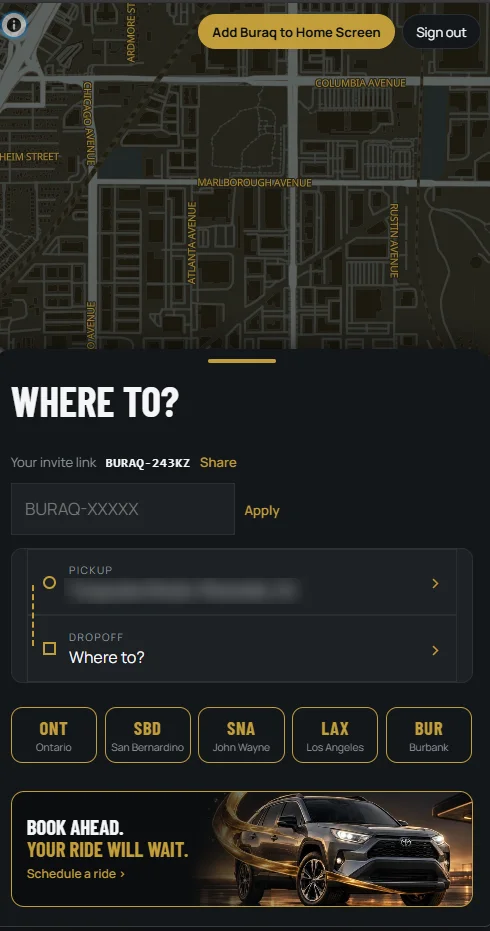
07Invite friends, or use a friend’s code.
Your invite link is for sending. The code beside it, like BURAQ-243KZ, is yours. Tap Share and send it to a friend who has never ridden with Buraq. They open it, sign up, and every ride in their first month is 30% off. When they finish their first ride, you get $25 toward your own rides.
“Have a code?” works the other way round. If a friend sent you their code, or you found one on a Buraq card, tap “Have a code?”, type it, and tap Apply. It works on a new account, before your first ride.
How the invite program works →
Need a hand?
Call or text (951) 224-7435. For an airport pickup, call us; we don’t wait at the terminal for walk-up rides.
Book a ride